Step-by-Step Guide: 10 Best SEO Software for Small Business Success
It’s tough for small businesses to find success today without putting in lots of work. It’s no longer enough to focus on your craft and let the quality of your service or products speak for themselves. You can’t just put up a big sign and make the occasional social media post, you need a strong online presence, and the digital world is incredibly competitive.
With most people first doing a Google search when they need anything from a pizza to plumbing services, you need a solid website and SEO to get your brand out there. Barely anyone scrolls all the way down to the bottom of a SERP, let alone goes to the second one, the top few results are all that matter.
However, even a local business running on a tight budget can get good results in 2025 and beyond without hiring a full-blown in-house SEO team or an agency. All you need are the right, beginner-friendly tools and a bit of elbow grease. In this post, I will break down the best SEO software for a small business by category and use case, and give you a good starting point.
Want one tool that helps you find keywords and beat competitors? Try Rankioz free.
Why Small Businesses Need SEO Tools
Most local retail stores, restaurants, and service-based companies are chronically understaffed and working on razor-thin margins, so they can neither devote a lot of time to SEO nor afford to hire professionals. That’s where simple and efficient tools come in.
They can automate your keyword research, provide content ideas, give you insights into what your main competitors are doing, and allow you to perform website audits to identify your biggest issues. There are even AI SEO tools for small business owners who just need a simple and effective content strategy and a checklist they can go over.
Apart from AI features, you should also be looking at the overall usability, an intuitive UI, accurate data, the kind of support you can expect if you run into issues and, of course, the pricing. While these tools can really be a game-changer for you, some of them can be pretty expensive and lock away the most useful features in higher payment plans.
So, is SEO software worth it for small business owners? Yes, as it leads to more organic traffic, drawing more eyes to your brand and getting you new customers, ensuring solid long-term ROI. You just need the right tools to get started.
Top 10 SEO Software for Small Business

Are you ready to explore the most effective SEO tools for 2025? Let’s take a look at what each one has to offer, the benefits and drawbacks, how big a hole it will burn through your wallet, and who it's best for.
1. Rankioz
A newcomer to the SEO game, this versatile tool was designed and developed by two brothers who wanted to offer the most important features and highly accurate keyword and backlink data, without charging an arm and a leg for it. It punches way above its weight and has a clean interface that is a breeze to use. All in all, Rankioz gives you agency-level keyword data, competitor insights, and SEO suggestions, at a small business price. Start free today.
Best features: Accurate backlink data, AI Keyword Clusters, and On-page SEO analysis.
Pricing: $30 per month.
Pros:
- Access to advanced features at a low price.
- Variety of on-page and off-page functionality.
- AI tools and precise data.
Cons:
Fairly new brand with not a lot of recognition (yet).
Best use case: Small local businesses and solopreneurs.
2. Google Search Console
A very popular and completely free tool that Google offers to anyone with a website. You can count on its accuracy, as you get all the information about how your site is performing in searches right from the most popular search engine on the planet.
It provides clear data on your average position, impressions and click-through rate, and indexing issues, as well as basic backlink info and core web vitals. GSC is also useful for identifying crawl errors or any security or mobile usability issues.
Best features: Site performance tracking, keyword impressions, and identifying crawling issues.
Pricing: Free.
Pros:
- Provides accurate data straight from Google.
- Crucial technical SEO insights.
Cons:
- Limited keyword research.
- No real competitor analysis.
- Lacks backlink data.
Best use case: E-commerce website owners and local businesses.
3. Ubersuggest
Developed by Neil Patel, a well-respected authority in SEO and digital marketing, this tool was designed to be simple to use and provide all the basic features less experienced users need in an affordable package. It has everything from keyword research, backlink, and rank tracking to traffic analysis, with the standout being the AI content generator and topic suggestions.
Best features: Initial keyword research, content ideas, and basic site audits.
Pricing: Free version or plans at $29 to $99 per month / $290 to $990 lifetime
Pros:
- Intuitive UI and easy for beginners to use.
- Fairly affordable plans + lifetime options.
Cons:
- Less detailed than big-name competitors.
- Backlink data is not as accurate as Moz or Ahrefs.
Best use case: Solo founders and beginner freelancers.
4. Semrush
This full-fledged SEO tool covers a lot of ground, with Social Media and PPC campaign management adding even more value. The basic toolkit includes keyword ranking, audits, backlinks, competitor analysis, and data on traffic and market trends. It’s great at helping you learn all about a particular niche and what works for the other big players.
Best features: Competitor analysis, backlink data, and keyword tracking.
Pricing: Limited free version or plans at $65 to $259 per month.
Pros:
- Lots of varied features.
- Excellent keyword gap and competitor tracking tools.
Cons:
- The UI is a bit cluttered and can be overwhelming.
- Limited backlink data compared to the top competitors.
Best use case: SEO agencies and large-scale marketing teams.
5. Ahrefs
One of the oldest and most respected names in the game, Ahrefs is geared more toward serious professionals and agencies. It has super accurate data on backlinks and precise metrics to show you which keywords to focus on at a glance. The Content Explorer is another handy feature that shows you what the top-rated pages and blog posts do to stand out. It is on the more expensive side, though.
Best features: Detailed backlink analysis, keyword explorer, and in-depth site audits.
Pricing: $129 to $449 per month.
Pros:
- Best backlink database around.
- Precise keyword difficulty scores.
- In-depth competitor analysis.
Cons:
- Lower-priced plans lack many important features.
- More difficult for beginners to master.
- One of the most expensive tools.
Best use case: Agencies and advanced SEO professionals tracking multiple sites.
6. Moz
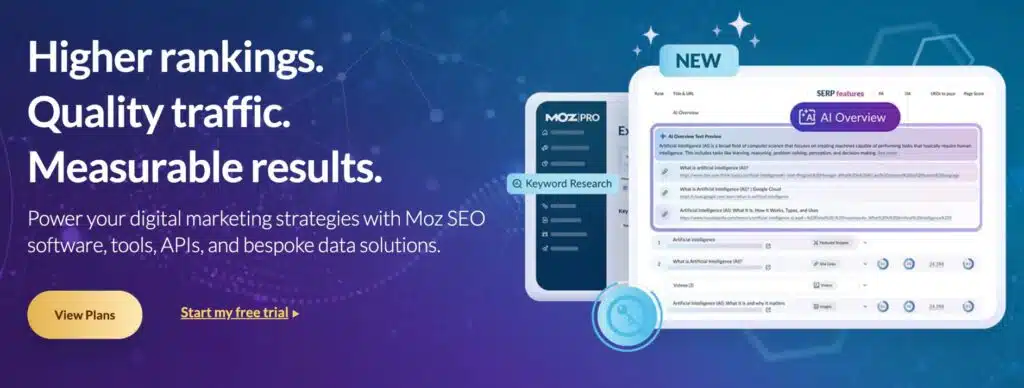
Another big name in the industry, Moz has a cult following and some of the best resources that can take you from a beginner, all the way to an SEO pro. It was designed with efficiency and ease of use in mind, and offers several reliable metrics to quickly assess a website or page. From site audits to on-page and content optimization, you get all the bells and whistles, though some of the results, keyword and backlinks, are not as precise as with Ahrefs.
Best features: On-page grader, link tracking, keyword explorer.
Pricing: $49 to $299 per month.
Pros:
- Very beginner-friendly design.
- Tons of useful resources and support.
- Proprietary Domain, Page, and Brand Authority metrics.
Cons:
- Broader and less specific keyword results.
- Link index is updated less frequently compared to the competition.
Best use case: Medium businesses and marketing agencies.
7. Surfer SEO
Unlike the previous couple of tools with a broader set of features, Surfer focuses primarily on optimizing your content. It gives you some keyword suggestions with basic info on how they are to rank for, and can produce AI suggestions and outlines.
If you follow its Content Score metric and keyword density guidelines, based on analyzing well-performing articles on the same topic, you can get decent results, but there’s not much variety in terms of tools.
Best features: Content optimization, keyword density, SERP analysis.
Pricing: $99 to $219 or Custom.
Pros:
- Great on-page SEO.
- Google Docs integration.
- Simplified content scores.
Cons:
- Limited link building and SMM functionality.
- No backlink tracking feature.
- Keyword research is rudimentary.
Best use case: Solo founders, content creators, and bloggers.
8. SE Ranking
This tool is slowly becoming more popular, especially among SEO agencies, as it provides a wide set of useful features, even at the lower-priced plans. It also allows for easy scaling, as users can pay a bit extra to add another client beyond the designated number of slots for each tier. You get all the usual functionality, with the detailed site audits and precise rank tracking being the most impressive ones.
Best features: Keyword rank tracking, extensive site audits, and competitor research.
Pricing: $79 to $479 per month + $20 per additional client or Custom.
Pros:
- Highly accurate rank tracking.
- Customizable reports.
Cons:
- The interface is a bit clunkier than in other tools.
- Backlink data is limited.
- Can experience lags.
Best use case: Small business owners and in-house SEO teams.
9. BrightLocal
Designed from the outset as a specialized option for local SEO, it’s a good choice for any neighbourhood store, tradesman, or freelance professional looking to quickly build their online presence and boost their traffic. While it’s also fairly affordable, you don’t get much in terms of keyword research and no information about backlinks, though it does let you audit your Google Business Profile and track citations quite effectively.
Best features: Local SEO audit, citation tracking, review management.
Pricing: $39 to $59 per month.
Pros:
- Exceptional at local SEO.
- Highly effective citation tools.
Cons:
- Doesn’t work well for broader, national campaigns.
- Limited keyword research abilities.
- No backlink data.
Best use case: Local businesses and freelancers focused on the local market.
10. Yoast (for WordPress users)
The standard WP plugin lets you quickly add this new tool and start using it immediately on your website. You get some limited features in the free version, and as far as I could tell, the Premium is only available as a yearly payment. It’s a breeze to use, but it doesn’t have some of the broader SEO features, and the analytics are not as in-depth as with some of the competitors.
Best features: On-page SEO audit, readability scores.
Pricing: Limited free plugin + Premium for $118.80 per year.
Pros:
- Quick and easy integration with WordPress.
- Super easy to get the hang of.
- Good content suggestions.
Cons:
- The plugin is limited to WordPress sites.
- Relatively basic analytics.
- No advanced SEO features like rank tracking.
Best use case: Solo founders and anyone focused on blog content.
Comparison Table
| Tool | Keyword Research | Site Audit | Competitor Analysis | Rank Tracking | Free Trial | Best For |
|---|---|---|---|---|---|---|
| Rankioz | Built as a lightweight SEO toolkit: keyword research, SERP scraping, backlinks, and on-page analysis. | On-page analysis/page audits. | Competitor SERP/landing analysis via SERP extraction and backlink checks. | Offers rank / SERP monitoring features. | 7-day free trial. | Small business owners who are developing their brand and freelancers. |
| Semrush | Full-featured (Keyword Magic, intent filters, SERP features, PPC insights). | Comprehensive technical and on-page audits (Site Audit + On-Page SEO Checker). | Extensive (Domain/Organic/Paid gap, Ads research, Traffic Analytics). | Daily/location/device tracking with historical trends. | 7-day free trial on many toolkits, requires credit card info. | All-in-one marketing suite; agencies and advanced SEOs. |
| Ahrefs | Powerful Keywords Explorer (KD, volume, traffic potential; huge backlink index used for keyword insights). | Robust Site Audit (170+ checks; prioritized issues). | Excellent backlink and domain competitive analysis (Site Explorer, Link Intersect). | Daily keyword updates on higher plans; reliable history/trends. | No standard free trial currently; offers free Webmaster and SEO tools. | Best for backlink research and technical or competitive link intelligence. |
| Moz Pro | Moz Keyword Explorer (user-friendly metrics, suggestions, intent, and SERP features). | Site Crawl and On-page audit (good for beginners / local SEO). | Basic competitor/keyword gap insights; good UI for small teams. | Rank tracking available with history; suitable for SMBs and local. | 7-day free trial available for Moz Pro Standard and Medium tiers. | Beginners, local SEO, and small teams that want a simpler UI. |
| SE Ranking | Full keyword research (bulk keyword tools, suggestions, SERP analysis). | Solid site audit (large crawl limits, actionable tasks). | Competitor monitoring and domain comparisons, PPC data. | Professional rank tracker (localization, device, competitor tracking). | 14-day free trial with no credit card requirement. | Value-focused all-in-one for freelancers, agencies, and SMBs. |
| Serpstat | Keyword research, cluster suggestions, PPC, and SERP analysis. | Site Audit with large page quotas and in-depth reports. | Domain and keyword competitor analysis (rank and visibility comparisons). | Rank Tracker (230+ regions, mobile/desktop, competitor tracking). | 7-day free trial. | Cost-effective suite for agencies and power users on a budget. |
| Ubersuggest | Keyword ideas, search volume, and difficulty; simplified UX aimed at content creators. | Site Audit features (SEO issues, basic fixes) included. | Competitor overview (traffic estimates, top pages, keywords). | Rank tracking included (project-based tracking). | Full Free tier with limited queries; paid plans available. | Beginners and content marketers who want low-cost, easy tools. |
| SpyFu | Strong keyword research focused on competitor keywords (organic + PPC history). | Basic audits / on-page checks via reports and integrations (more focused on competitor intel). | Core strength, deep competitor and PPC/x-paid history, ad spend estimates, keyword tracking. | Rank tracking + historical visibility and competitor ranking comparisons. | Free accounts have limited searches; paid plans include a trial and a 30-day refund policy. | PPC and competitive keyword research; marketers focused on paid search intelligence. |
| Raven Tools | Keyword research and manager (multi-source data). | Site auditing and technical crawler + white-label reporting. | Competitor Manager and backlink/authority comparisons. | SERP tracker with scheduled checks and historical trends (plan-dependent limits). | 7-day free trial. | Agencies and consultants wanting integrated reporting + white-label outputs. |
| WebCEO | Keyword research tools (suggestions, grouping). | Site Health / Audit (on-page + technical checks). | Competitor metrics and keyword/visibility comparisons. | Rank Tracker across many engines and local regions; agency-friendly. | 14-day free trial (no credit card required). | SMBs and agencies that need white-label reporting and an affordable full suite. |
Affordable vs. Premium SEO Tools
When looking at the free options, I find that they have their place and can offer some initial help to get the SEO ball rolling. With Google Search Console and the bare-bones versions of Ubersuggest and Moz, you can cover some basics like identifying minor technical issues, finding some keywords to focus on, getting data on impressions and clicks, and tracking rankings.
However, you only have access to a limited pool of data, and the results you get are not as accurate as you need them to be. They may also lack important metrics or features like backlink tracking, in-depth competitor analysis, and more thorough audits that can uncover hidden issues etc. You also won’t be able to benefit from the automation and various AI features the premium tools offer.
There is definitely a big gap between the two, and you will find the free options sorely lacking if you try to take your company to the next level.
However, affordable tools for small business owners like Rankioz help bridge this gap between the more basic free options and the incredibly useful but costly premium tools by providing lots of accurate data and crucial insights for a reasonable price.
Explore Rankioz’s pricing made for small business budgets. See plans.
AI SEO Tools for Small Businesses

In the last few years, it seems like AI has been everywhere. It’s only natural for people to use such a versatile new technology to add value to different tools, and boy, does it have a lot of interesting uses. For a start, AI allows you to fully automate previously highly time-consuming tasks like keyword research, competitor analysis, and content optimization.
Even inexperienced users can use a “paint-by-numbers” approach, getting solid insights and fine-tuning the quickly-generated suggestions to dramatically improve the quality of their content. What can these new tools do? Well, let’s take a look.
AI Briefs
Surfer SEO has an AI-powered feature that analyses several of the best-performing pages on a given topic and keyword, looking at things like keyword density, intent, and how the content is structured. It then provides entire briefs for you to modify and fill out.
Fully Optimized Text
There is also Jasper AI, which can generate informative and relatively engaging long-form content. If you combine it with a capable SEO tool, it can even optimize the text based on your preferred keywords.
Advanced Keyword Suggestions
Rankioz uses AI to provide keyword clusters, several additional search terms that are similar to your initial keyword, which lets you find more opportunities to rank. It’s an easy way to start thinking outside the box and optimize your content for less competitive, but still highly searched terms.
One word of advice, though, don’t expect AI to solve all your problems and get you to the number 1 spot in the SERPS without any extra effort on your part. It’s a valuable feature, to be sure, but it’s not magic.
Step-by-Step: How to Choose the Right SEO Tool
I’ve talked about all the different tools and how they compare, but now it’s time for a practical approach to finding the right one for you. You can do this by following a few simple steps:
Step 1: Set Your SEO Goals
The only way to determine the type of features you need is to clearly define what you are after. It can be to drive more traffic to a particular service page, get more people to schedule an appointment, build brand awareness and lure more customers through the doors of your brick and mortar shop, etc.
Once you define what success means, you can decide on the appropriate metrics to track, and that will help you find the best tool for the job.
Step 2: Define Budget and Resources
How much money will you be able to set aside each month to pay the monthly fees for your tool? Remember, you may also want to run an ad campaign or grow your social media presence, which all cost extra and take time out of someone’s already busy workday on top of your SEO strategy.
Step 3: Test Usability and Reporting
You’ll want a tool with an intuitive interface without too much clutter, simple tutorials and instructions, as well as the ability to create custom reports based on the metrics you’re interested in. Everything should be clear and easy to understand. You can take advantage of any free trials to try out different tools on a test run before committing.
Step 4: Choose 1–2 Tools and Commit
When you’ve made up your mind and narrowed the selection down, pick your favorite tool, with perhaps an additional free option like Google Search Console, and stick with it. It takes a bit of time to get used to the whole process and a few months before you can see more substantial results, so keep at it and have patience.
If you need an affordable option to handle it all, you can always start your SEO with Rankioz and scale as you grow.
Use Cases

Ok, so what does this whole SEO thing look like in practice? I have a few real-world examples that cover some of the most common uses for the tools listed above.
Local Coffee Shop Trying to Get More Foot Traffic
The owners of a burgeoning cafe in a busy neighbourhood start using tools like Rankioz or Bright Local in conjunction with GSC to keep track of any mentions of their business online, find good keywords to help them boost their local rankings, and monitor customer reviews.
They also iron out their Google Business profile and start asking customers to leave a review. The coffee shop now shows up in geo-targeted searches, pops up in map results, and has plenty of positive reviews as social proof.
E-commerce Startup Looking for Long-Tail Keywords
An online shop in a highly competitive niche, e.g., sportswear or women’s dresses, uses Ubersuggest, Rankioz, or Semrush to dig up some longer, high-intent keywords without much competition.
Their team then uses several of these keywords to optimize their various product descriptions and blog posts, while also creating a content calendar and posting more regularly. In a few months, they start seeing an uptick in site traffic and increased sales.
Freelance Consultant Improving Their Site Visibility
After investing in one of the SEO tools from our list, a freelancer audits their website and finds a number of on-page issues, as well as some things affecting their technical SEO. They start optimizing their images to improve page load speed, deal with duplicate content, and start optimizing for the proper keywords.
They also adopt a regular content schedule for their blog page, fix broken links, and do some proper interlinking. This leads to them getting more leads in the following months and ranking higher in relevant searches.
FAQ About SEO Tools for Small Business
Is SEO Worth It for Small Businesses?
It most definitely is. With the right tools, it’s a cheap and easy way to build brand awareness, increase website traffic, and get more sales. And the best thing about it is that you can get great long-term results with just a little bit of extra effort on your part.
What’s the Best Free SEO tool?
GSC is hands-down the essential choice that every serious small business owner should build their SEO toolbox around. It gives you plenty of important insights into your site’s performance, with accurate data straight from Google.
Can I do SEO Without Hiring an Agency?
Of course. As long as you choose an intuitive and affordable tool, all it takes is a few weeks to get used to it and start fixing all the issues on your site and optimizing content. Even if you don’t have much extra time and work alone, you can devote a few hours a week to SEO and reap excellent benefits within 3 to 6 months.
Should I Use AI SEO Tools?
You can save a lot of time with a bit of automation, especially when it comes to content briefs and keyword suggestions, so I’d say AI is worth it. Just don’t expect it to do all the work for you.
Grow Your Small Business with the Right SEO Tool
Any small business can see impressive results if it devotes a bit of time to SEO. It’s not that difficult to get started, and you won’t need a dozen specialized tools and a laundry list of metrics to keep track of, you only need to find the right ones.
All it takes is one versatile tool that can handle keyword research, backlink monitoring, and site audits, and you can combine it with GSC to get all the insights you need to make some big changes. Once you start to optimize your content and some of the technical aspects of your site, you can expect to see more website visits and more business.
If you want a smart, simple tool that delivers results, give Rankioz a try. It’s made for small businesses like yours.